From AI-generated code to a working SAP order desk
An AI coding assistant can build an application quickly. Getting that application into everyday use takes more than working code.
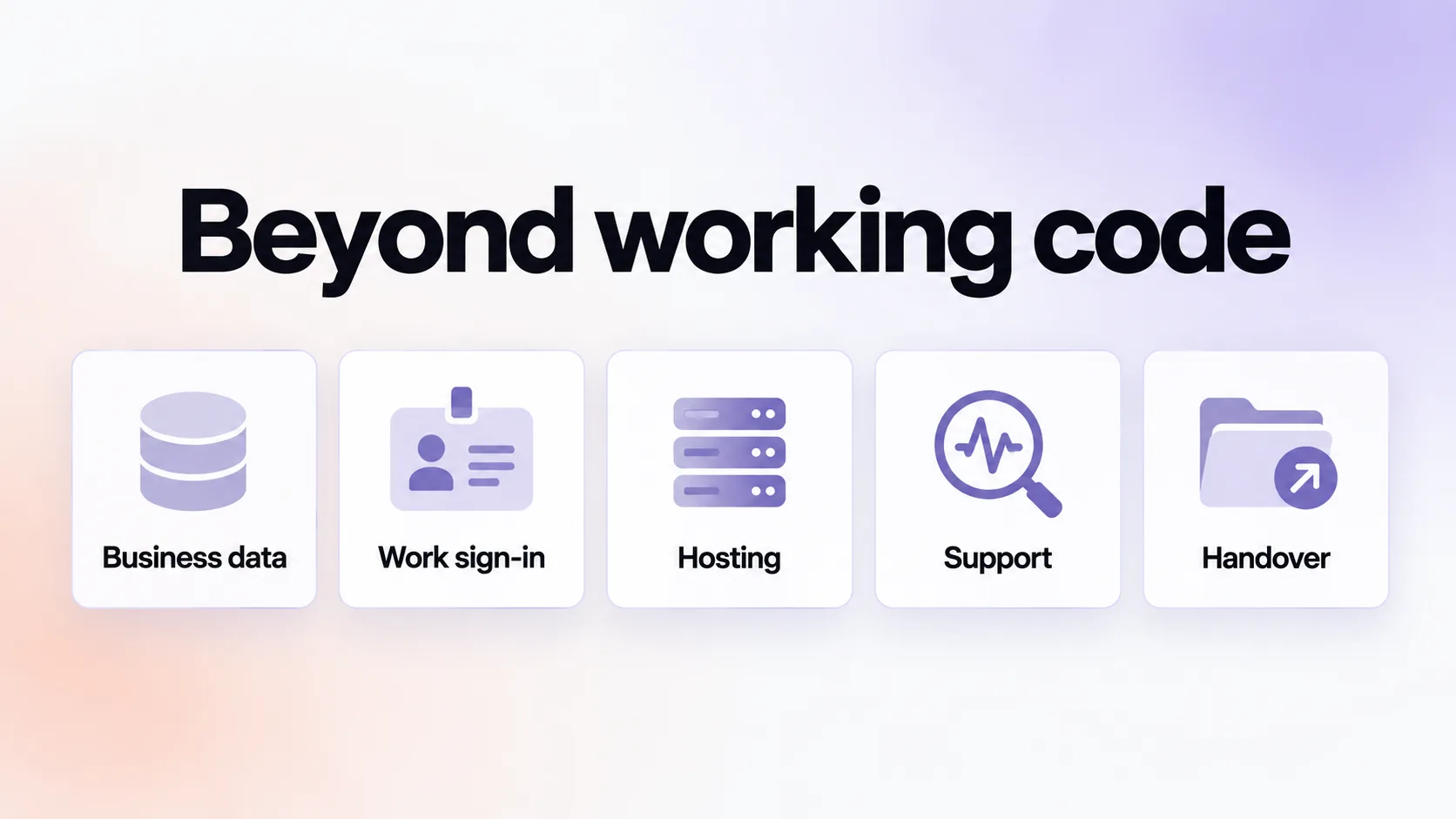
It needs access to business data. Employees need a way to sign in. It needs somewhere to run, tools to investigate problems and a clear path for someone else to take it over.
This walkthrough follows that whole process, using a familiar example: an order desk that helps customer service answer delivery questions using information from SAP.
What we're building
A customer asks, "Where is my order?"
The answer is in SAP S/4HANA, but finding it may involve several screens or help from a colleague. Meanwhile, the customer waits.
Our order desk brings the relevant information into one application:
Search by customer or order number.
See open sales orders and confirmed delivery dates for each item.
Record a date promised to the customer, with a note.
Email a confirmation and notify a Teams channel when a promise is at risk.
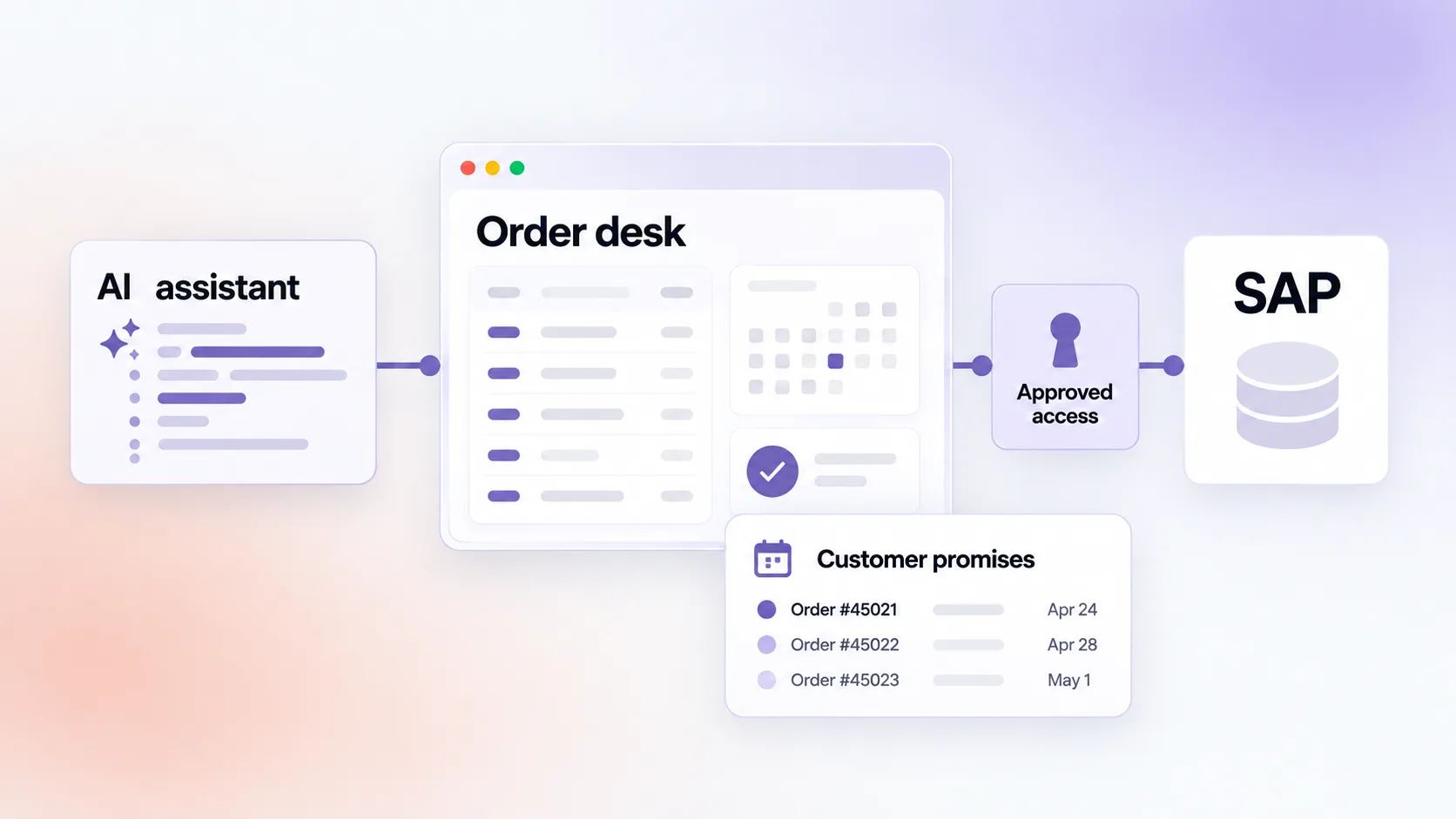
The application reads order information from SAP through OData, an interface that lets other applications request SAP data. It stores customer promises and notes in its own database.
That boundary matters: SAP remains the authoritative source for orders. The order desk owns the additional information recorded by customer service.
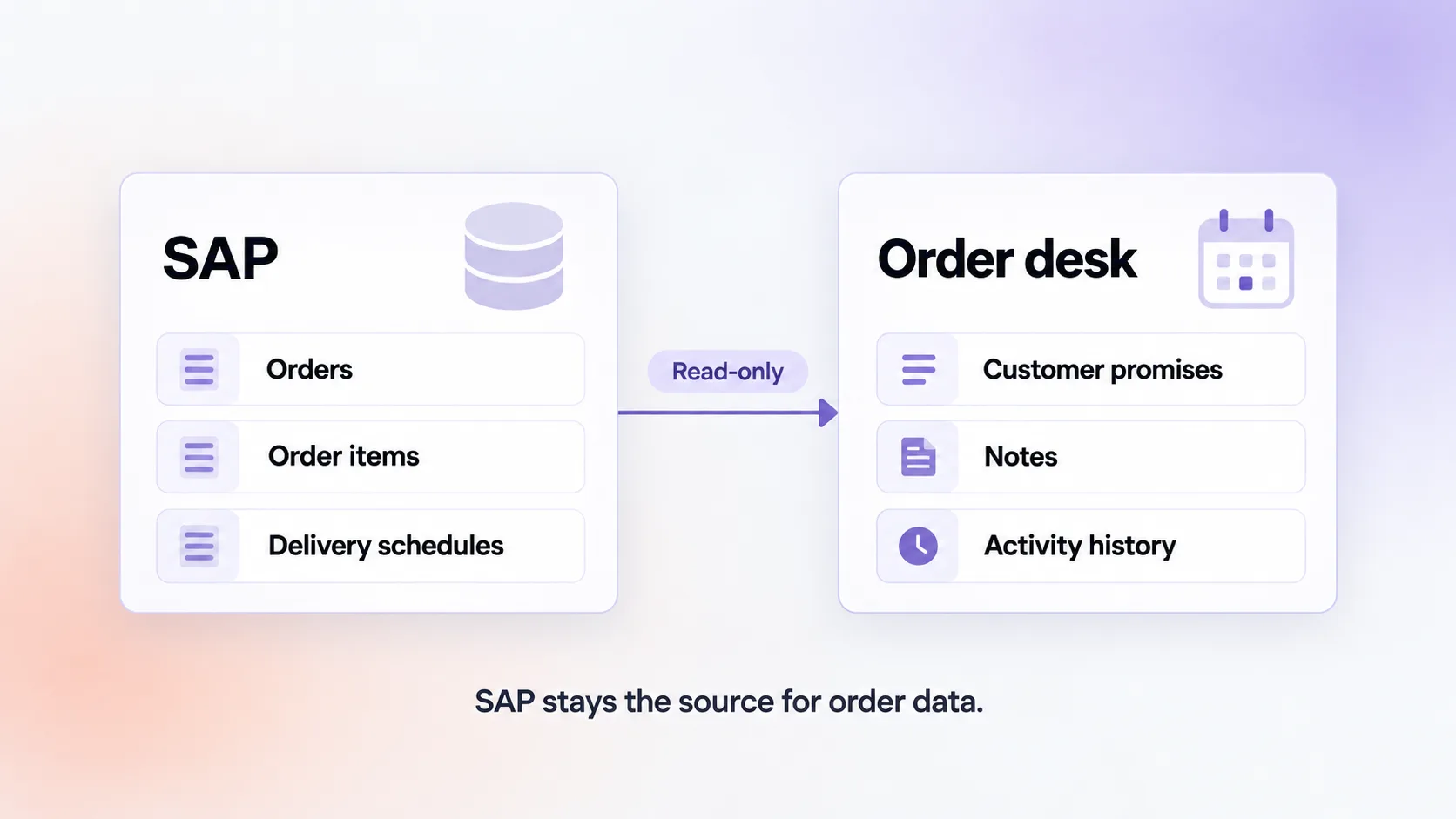
The first version does not write anything back to SAP. This reduces the scope of the integration and simplifies the access discussion. Updating SAP can be considered later, with the appropriate permissions and controls.
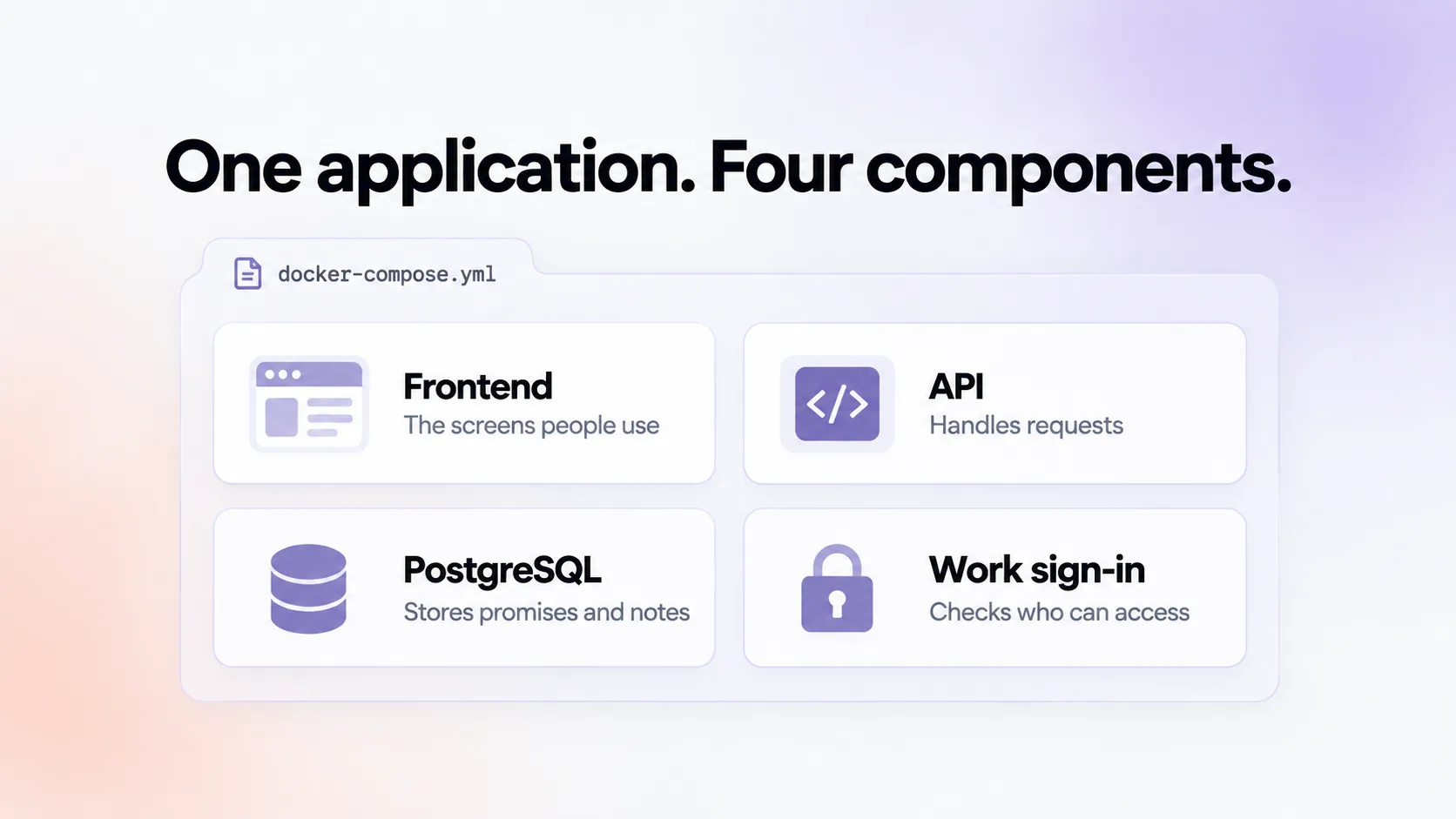
For technical readers, the application has four components: a frontend, an API that handles requests, a PostgreSQL database and a component for work-account sign-in. A docker-compose.yml file describes how those components run together.
1. Define the job before asking AI to build it
Three decisions give the coding assistant a useful starting point.
What is the one job?
"A customer-service employee can answer a delivery-date question in their browser without asking a colleague."
That is specific enough to guide the first version. Features that do not support it can wait.
What does the application read, and what does it store?
Orders, items and delivery schedules come from SAP. Promises, notes and the history of who recorded them belong in the application's database.
Write this down. Otherwise, the coding assistant may make assumptions about where information should live.
Who will try it first?
Choose one customer-service employee who will test it and provide feedback. Their involvement will help answer questions that a specification alone will miss.
2. Connect your coding assistant to Syntica
Syntica gives your coding assistant tools to create, deploy and manage the application.
Start with:
npx @syntica/mcp setupThis installs the connection between your coding assistant and Syntica, along with instructions for using it. Restart the assistant after setup.
In Claude Code, begin in an empty project folder with:
/syntica:onboardIn other supported assistants, ask in plain language to onboard the project with Syntica.
Onboarding signs you in, creates the application and connects its Git repository — the version-controlled home for the code. It also saves the project settings your assistant needs for subsequent work.
3. Brief the AI as you would a developer
A good brief explains the task, the data, the users and any technical boundaries.
For example:
Build an order desk for customer service.
The job: Employees can search by customer or order number, see open sales orders with confirmed delivery dates per item, and record a promised date with a note.
The data: Read sales orders, items and schedule lines from SAP through OData. Never write to SAP. Store promises and notes separately in PostgreSQL.
The users: Internal customer-service staff, signed in with their work account. Confirm which users should have access and what information they may see.
The application: Use a frontend, an API and PostgreSQL, with a
docker-compose.ymlfile describing the services.Ask me about anything unclear before writing the code.
Expect questions. What counts as an open order? Can a promise be edited? What should happen when SAP changes a confirmed date?
These are business rules. The AI can help implement them, but someone who understands the process needs to decide them.
4. Give the application access to SAP
The application needs an approved SAP connection. That should not require copying a password into the AI conversation or committing it to the repository.
Ask your assistant:
Which connections does this app have for the dev environment?Syntica returns the available connections and the names of the settings the application will receive when it runs. For the SAP OData connector, these include:
SAP_ODATA_URL
SAP_CLIENT
SAP_USER
SAP_PASSWORD
These are environment variables: named settings supplied to the running application. The connection-discovery tool returns their names, not their secret values.
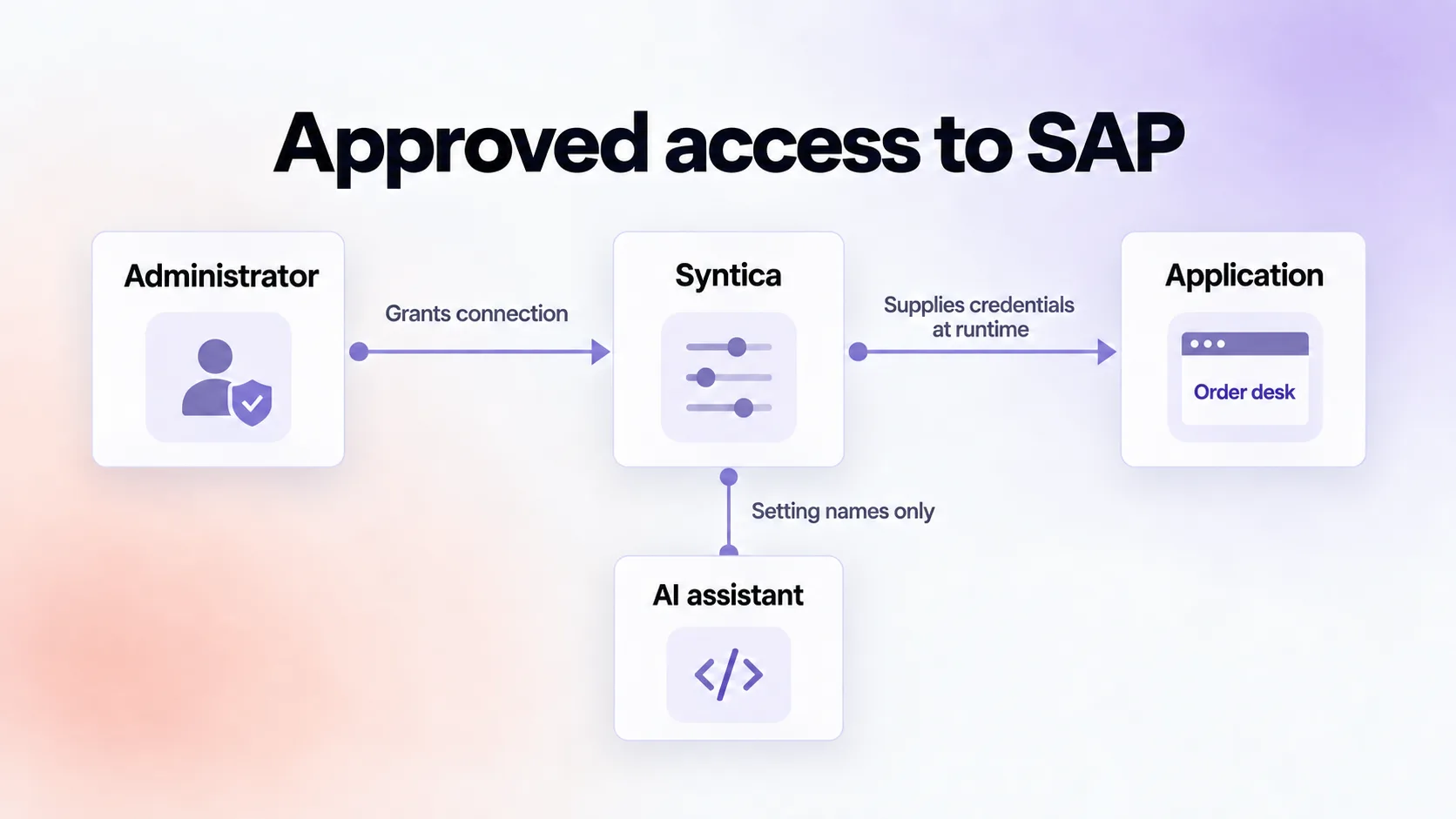
If no suitable connection is available, the assistant can request one. An administrator then grants the application access to an appropriate SAP connection.
For this order desk, the SAP account should have display-only access to the required order service.
Use a test SAP system during development and grant access to production separately. The code can use the same variable names in both environments.
Check connectivity early: the connector currently supports publicly reachable SAP endpoints. It cannot reach a system that is only accessible behind a corporate firewall.
5. Let SAP describe its data
The coding assistant needs the actual field names and structures used by your SAP service.
OData provides a description of these through an endpoint called $metadata. Ask the assistant to use it:
Read the OData service metadata and build the integration
against the entities and fields it declares. Do not guess field names.
For example, the service may expose entities such as A_SalesOrder and properties such as ConfirmedDeliveryDate. Using the real definitions avoids building against plausible but incorrect names.
Two further instructions are worth including:
Request only the data needed. Filter and limit results in the SAP request instead of downloading every order and searching locally.
Explain missing configuration clearly. If no SAP connection is available, the application should say so rather than fail with an unexplained error.
These details help make the application efficient and easier to support.
6. Review and deploy a test version
Before deployment, ask the assistant to review the code against your organisation's validation rules.
Syntica makes these rules available to the assistant, which can report issues and suggested fixes. This is an advisory review: useful for catching problems, but not a substitute for testing or required approvals.
One sensible rule is that passwords, tokens and connection strings must never be committed to the repository.
The assistant should also check the deployment configuration. Syntica uses docker-compose.yml to build and run the application's components. Among other requirements, the application must respond at its root URL so the platform can check whether it started successfully.
In Claude Code, deploy with:
/syntica:deployThe assistant pushes the code, starts the build and reports either a live URL or details of the failure. On the first deployment, you are asked to choose an instance size, which affects the cost.
A first deployment may reveal a missing setting or startup problem. Fix the issue and deploy again.
The goal is a working test application that an authorised user can open in their browser.
7. Test the workflow with a real user
Put the application in front of the customer-service employee you identified earlier.
Before using real customer information, make sure the appropriate sign-in and access controls are in place. Start with test data or a suitable SAP test environment.
Then work through realistic questions:
Can they find an order using the information a customer provides?
Is the delivery date shown at the right level?
Is the difference between a confirmed date and a promised date clear?
Can they understand what happened if SAP is unavailable?
This is where small details become visible. A partial customer-name search may matter more than an extra dashboard. Showing yesterday's promises may be more useful than another filter.
Use that feedback as the next brief for the assistant.
8. Prepare for production
Production is the environment people rely on for their daily work. It needs its own database, approved connections and operational ownership.
For work-account sign-in, Syntica's Microsoft Entra ID connector supplies the required identity settings. The application still needs a component that uses those settings to handle login.
One option is oauth2-proxy, a standard component placed in front of the application to check that users have signed in. Your IT team also needs to arrange the necessary Microsoft application registration and approvals.
Add the mail connection so customer confirmations can be sent through an approved mailbox.
Before launch, agree who supports the application and what backup, recovery and availability arrangements the business requires.
9. Investigate problems through your assistant
Once the application is running, the assistant can use Syntica's tools to help answer operational questions.
Question | Tool |
|---|---|
Is the application responding? |
|
What errors happened recently? |
|
What happened at a particular time? |
|
What is stored in the application database? |
|
Database queries are read-only by default and recorded in an audit trail. That makes investigations easier to trace.
These tools give the person supporting the application a practical starting point when someone reports a problem.
10. Need a handover?
If the application should be maintainable by another developer or team.
The handover includes the source code, the docker-compose.yml configuration and documentation of the connections the application expects.
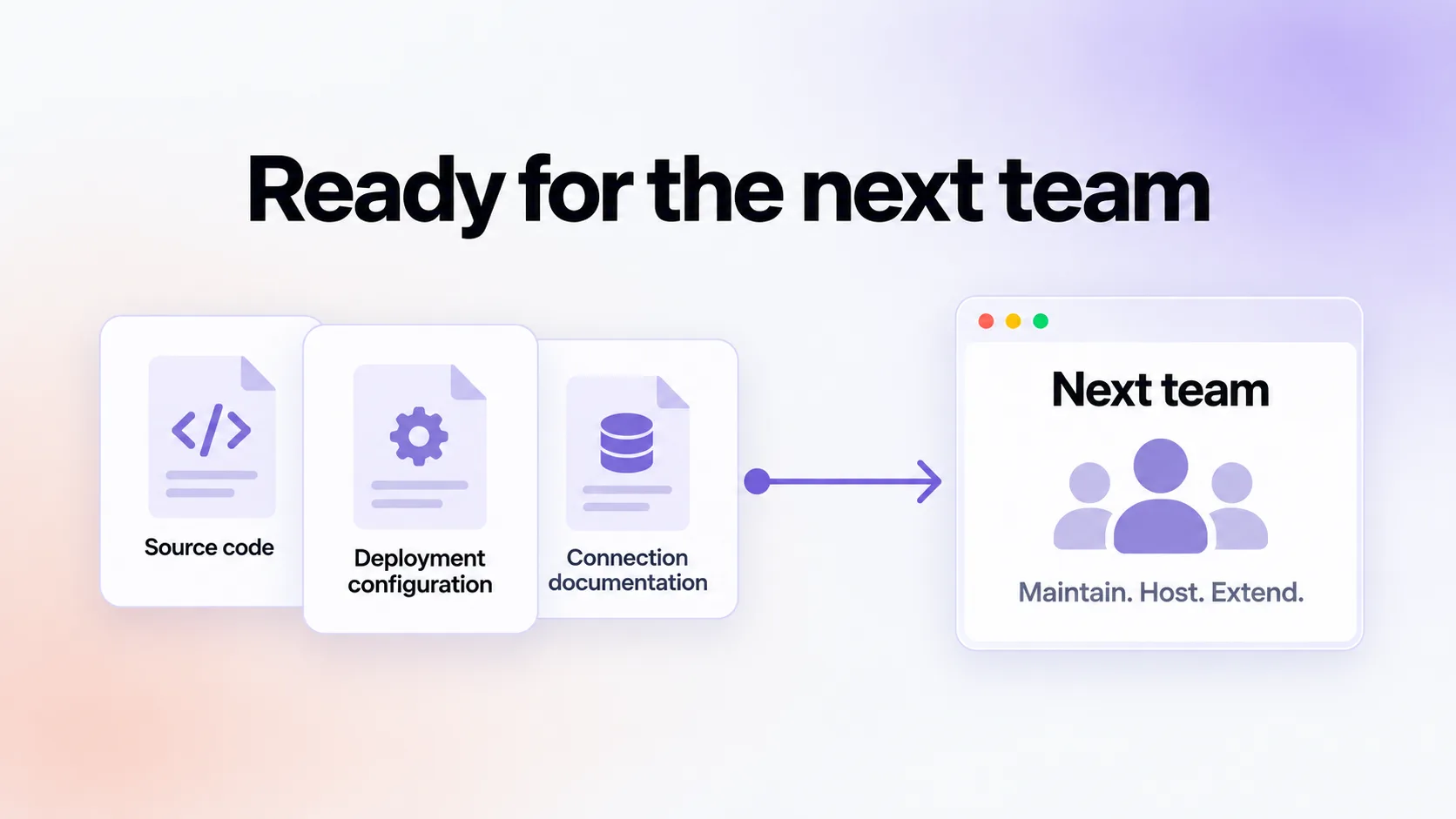
A new hosting environment will need to supply those connections and support the application's components. Standard code and deployment formats make that transition easier.
Document the business rules and operational steps along the way. The next maintainer needs to understand both how the application runs and why it behaves as it does.
Ready to try it? Start with the Syntica getting-started guide.